Quilting with precuts: from a jelly roll to a finished pattern
Pick a design sized in packs and tap Rearrange Fabrics to deal its prints again. The pattern cuts the roll strip by strip, with binding from the leftovers when the roll covers it.
A precut design is built around a pack, such as a 2½″ strip roll. The whole quilt cuts from the strips in the roll. The recipe line on the card is counted from the design’s real cut list, never typed in by hand. It uses each manufacturer’s own pack name, or the plain measurement when a brand has no name for it.
Pick a size in packs
Open Libraries → Designs and find a design with a recipe line, like the Jelly Roll Race. Tap “Add to project…” and pick a size. Each size is counted in strips: the Baby uses 20 of 40, the Throw all 40, the Twin 80 across two rolls. Every size arrives complete, with a real fabric already on each piece.
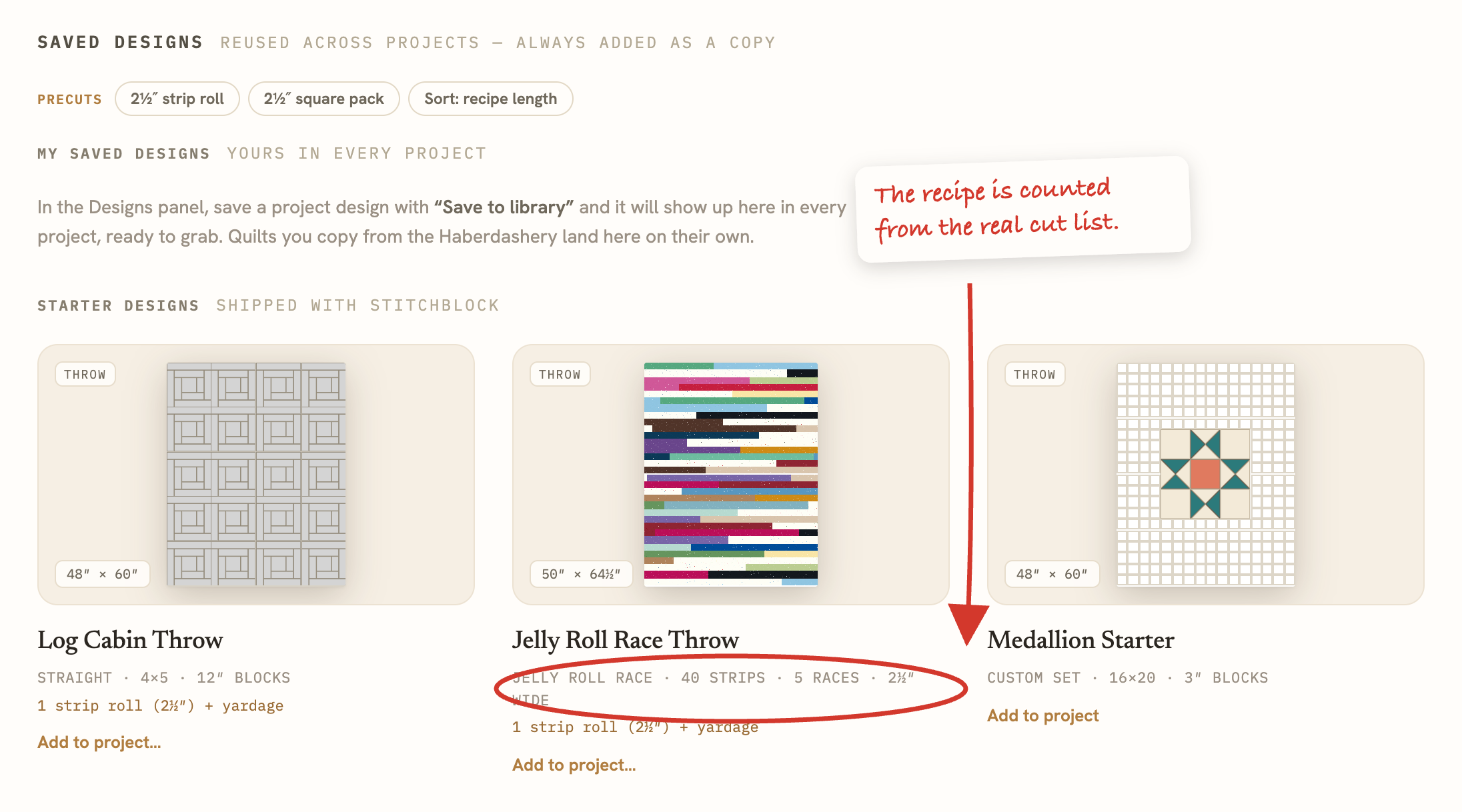
The PreCuts chips above the shelf filter designs by pack type, and “Sort: recipe length” puts the designs that use the most precut types first. Once you’ve recorded a pack in My Stash, a “From my stash” chip joins them. Tap it to see only the designs your packs can make.
Every print gets its own letter
Each print in the roll gets its own letter on the fabric key and the cutting pages. On a 29-print roll they run past Z into AA, and the next fabric continues from there. The roll itself buys as one line, and the cutting pages group the work the way you’d do it, strip by strip.
Every precut assortment differs a little, so the prints shown may be representative of your pack. The counts and the cuts are exact either way. Only the print names can vary.
The size is locked on purpose
A precut design keeps its block size and layout locked so every strip keeps fitting the recipe. The Precut design card at the top of the SmartBlock and Layout tabs shows the recipe and the reason. Sashing, borders, binding, and backing can still be changed. They buy as yardage, and their cards show a small YARDAGE chip that says so.
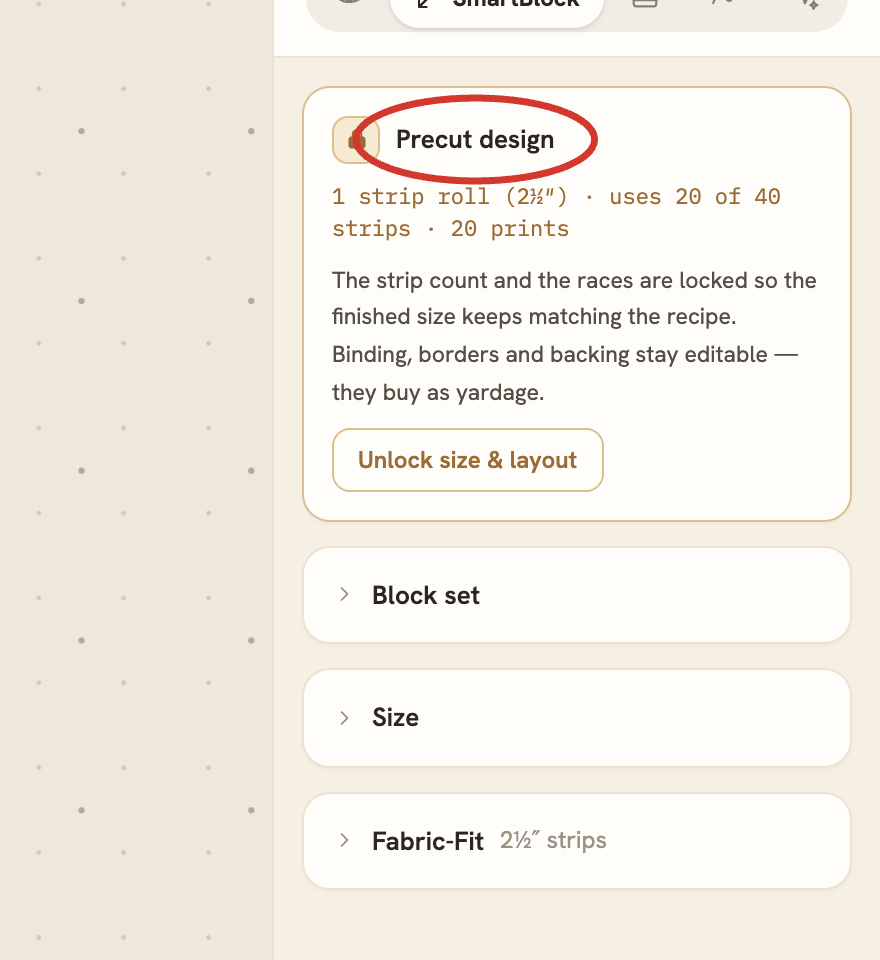
“Unlock size & layout” unlocks everything. The design becomes an ordinary quilt, and the recipe, the pack line, and the strip-by-strip cutting pages leave the pattern together. Its fabrics buy as yardage instead. Undo brings the pack right back.
Rearrange Fabrics
In the Fabrics panel, the pack is one row. Tap “Rearrange Fabrics” to deal its prints across the quilt again. It uses the same prints in the same quantities, so the supplies and the cutting recipe do not change. Pieces you placed by hand stay put, and undo brings back the deal you had.
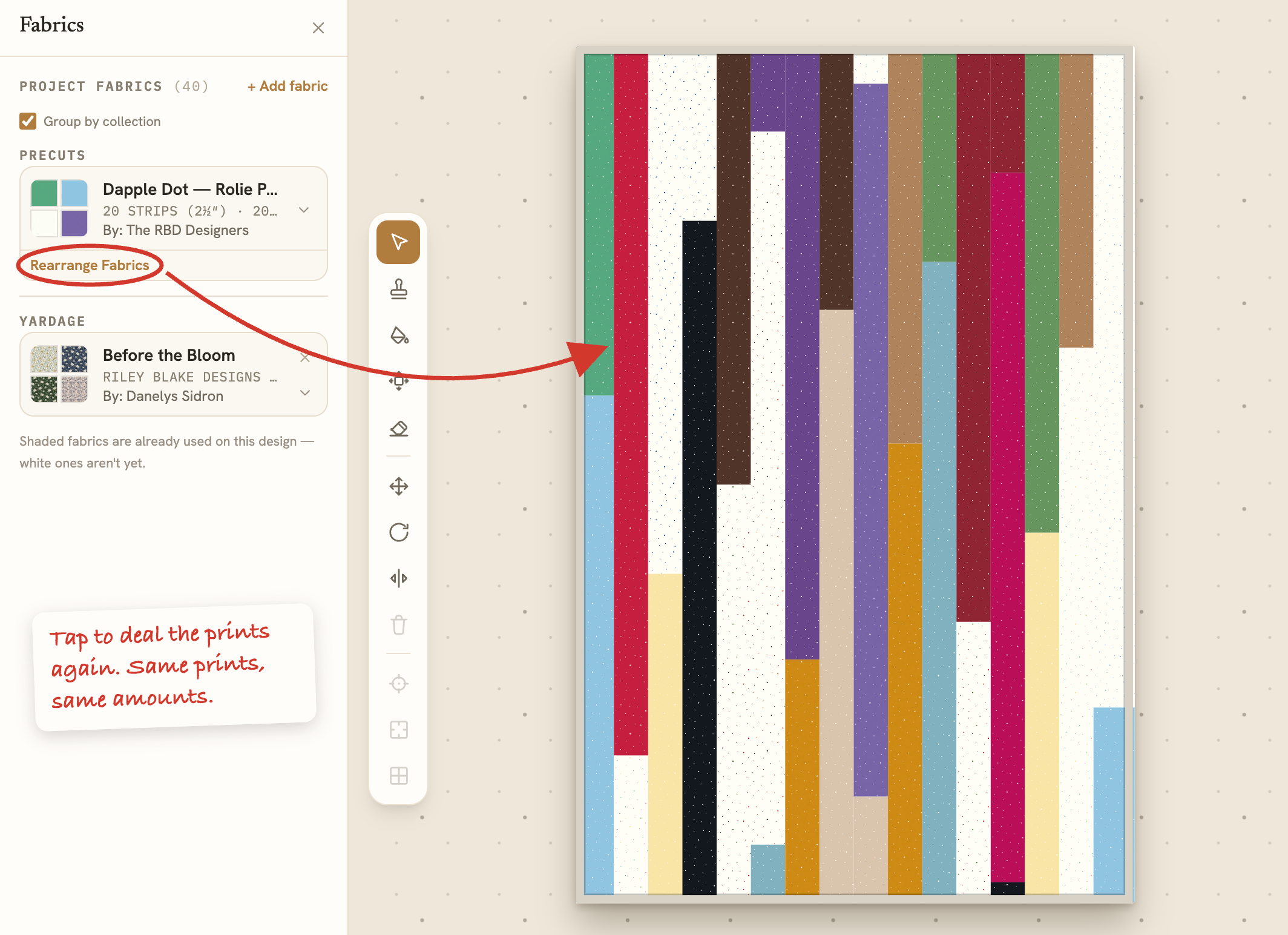
Prefer full control? Arm any swatch and paint. Every piece is a real fabric, so you can place each one where you want it. If you paint a print where the pack can’t cut it, such as on a border, the pack line leaves the pattern and its fabrics buy as yardage.
Bind with the leftovers
When the roll will have enough spare strips for the binding, the Binding card offers it. On the Baby race it says the roll will have 20 spare strips, enough to bind this quilt (5 needed at 2½″). An alert on the Inspector says the same as soon as it’s true. Tap Bind with the leftover strips and the binding buys nothing. The pattern says to join the spare strips end to end, and every supply list agrees.
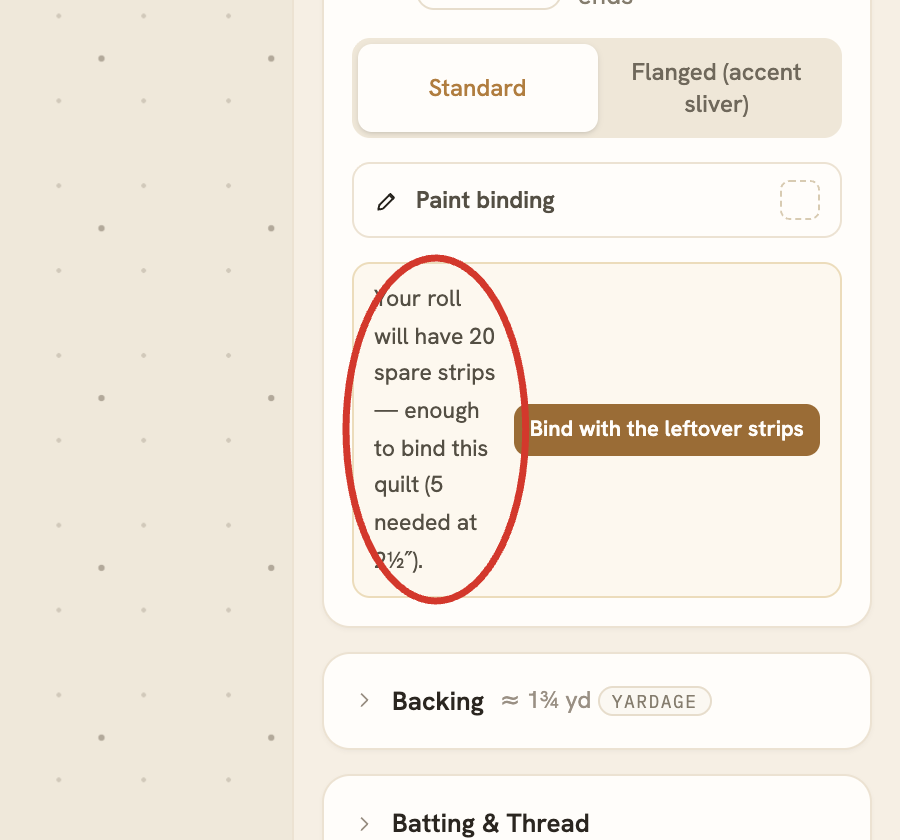
The offer is for a straight-grain, standard binding at the roll’s own strip width. Change those settings and the binding buys as yardage again. The card says so and offers Remove.
Any design can buy as precuts
This works outside the Design Library too. On any design, add a pack to the project and paint with its prints: see Bring a precut pack into your project. Fabric-Fit then shows what the pack cuts, and the Supply List lists the packs to buy. My Stash keeps the packs you own: see Your stash and precuts for counts and what happens on cutting day.
Checking your own precuts and scraps
Wondering whether precuts you already have would cover a quilt? That’s Fabric-Fit, which has its own page. Scraps you keep cut to size work like precuts of your own: see Your Scrap Basket.
Tip: The deal is safe to try. Tap Rearrange Fabrics as many times as you like. The supplies do not change, and undo brings back any arrangement you liked.
Precuts on your phone
You can’t design with precuts on your phone. Precut designs and painting from a pack are in the Studio; on your phone you can record the precuts you own and count them. See StitchBlock on your phone.