What is SmartBlock?
One tab for your blocks: the Block set, the quilt size and block size, Exact-Cut, Fabric-Fit, and coping strips.
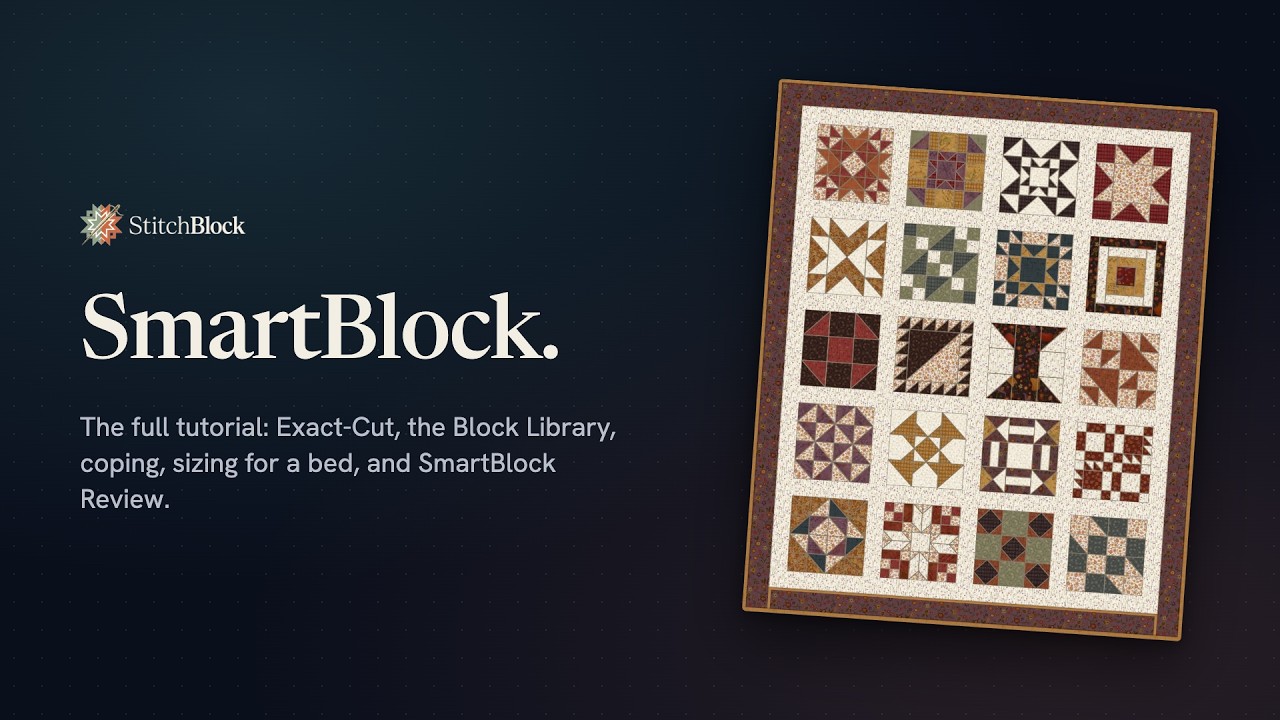
StitchBlock SmartBlock: Exact-Cut, Pairing, Quilt Sizing & Review Watch on YouTube, bigger and with chapters
SmartBlock is the tab for your blocks. Here you choose the layout, set the sizes, see whether every cut lands on a ruler mark, and check whether your precuts could cut the quilt. Tap the SmartBlock tab on the Inspector, the panel on the right.
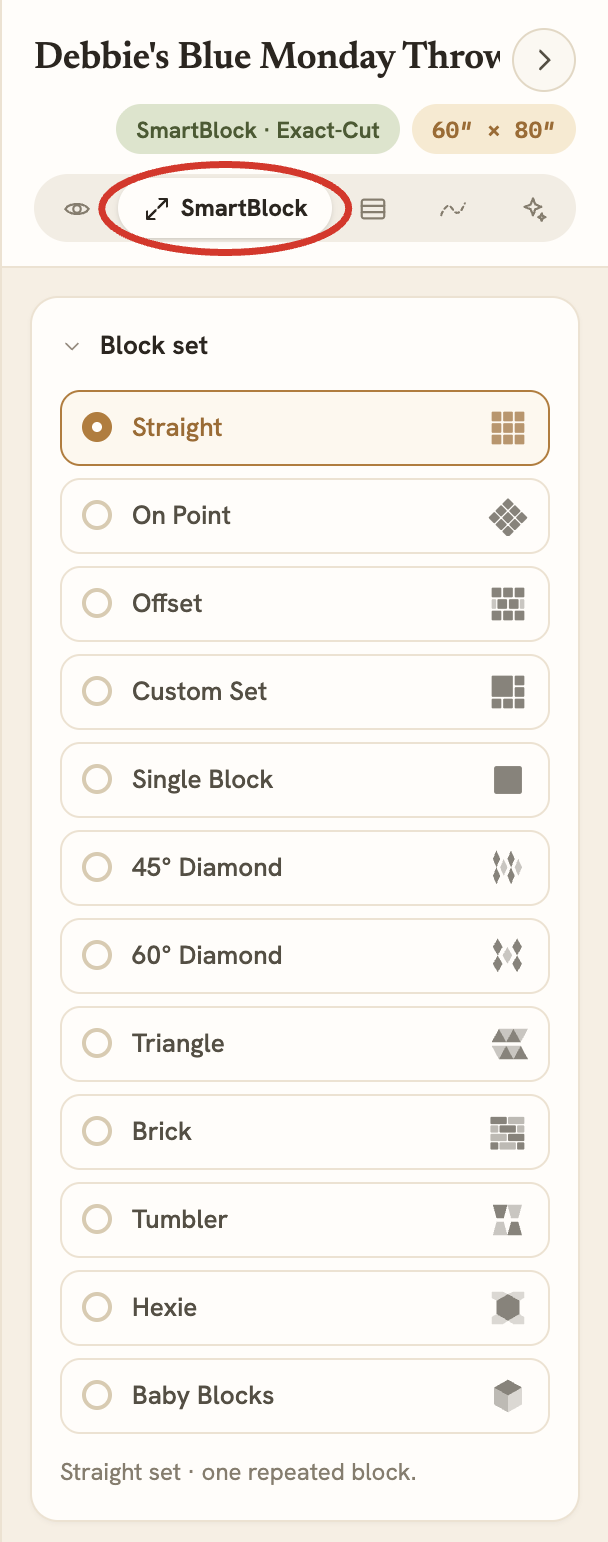
Block set: the quilt’s layout
The Block set card chooses the layout: Straight, On Point, Offset, a Custom Set that mixes block sizes, Single Block, the one-patch shapes, or Baby Blocks. The layout and the block size are one decision, so they share this tab. See Change the layout and Mix block sizes on one quilt.
Size, and Exact-Cut
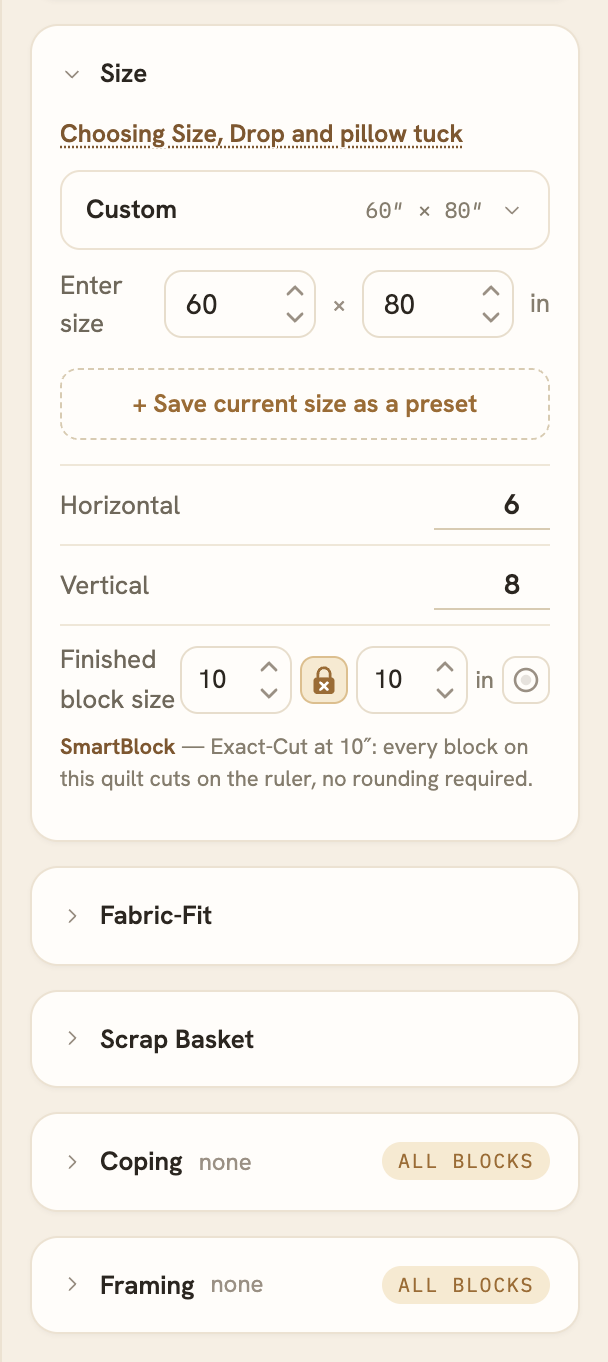
On the Size card you set the quilt’s size. Pick a bed by its mattress, a set size like a throw or a runner, or Custom to type your own. Then set the rows and the finished block size. A design made from a precut recipe keeps both locked. See Sizing a quilt for a bed.
Under the block size, SmartBlock tells you how your blocks cut. “Exact-Cut at 10″” means every block on this quilt cuts on the ruler, with no rounding. When some blocks round, the card says how many. It offers you nearby sizes that cut exactly, or Fix my quilt, which adds coping strips to the blocks that round. Either way, the pattern prints the sizes your cuts really sew to. See Why is my quilt 61½″ instead of 60″?
Fabric-Fit: will my precuts cover it?
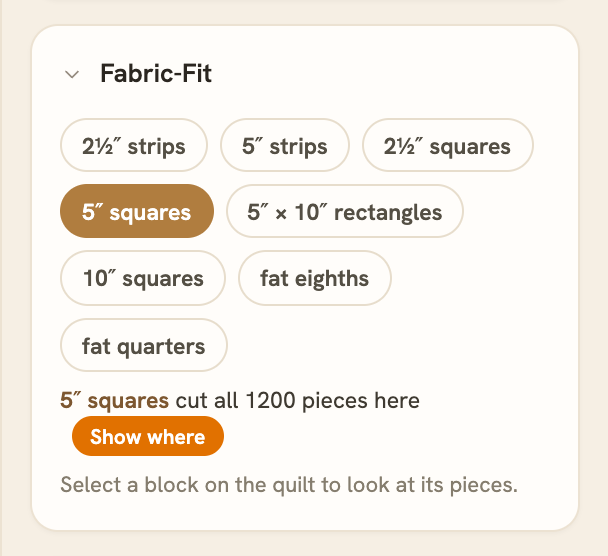
Fabric-Fit checks precut sizes against the quilt. Tap a size, such as 5″ squares. One sentence says how many of the quilt’s pieces that size cuts, and Show where hatches every piece it can’t cut, right on the design. What stays plain is what fits. Tapping a size is only a look, and nothing is saved. With a pack on the project, the sizes are under Check other precut sizes. The full story is its own topic: Will my precuts cover this quilt? (Fabric-Fit)
Coping, Framing and the pill
Below Fabric-Fit you’ll find the Scrap Basket card and, once a block is on the quilt, the Coping and Framing cards. Both work on all blocks or only the block you tapped. Coping puts strips around a block inside its cell when its pieces can’t cut on the ruler. Framing keeps the block and makes the blocks bigger to hold the strips. On Point and the two Diamond layouts have Framing only. See Frame a block with coping strips and Frame a block.
The SmartBlock pill, above the tabs, shows the same answer in one look. Green means every block cuts on the ruler, and a tap opens this tab. Soft yellow or amber means some blocks round to the nearest ⅛″, and a tap rings those blocks on the design. Tap again to clear the rings. See What are the pill colors and warnings telling me? and What do the colors mean across StitchBlock?