Wish List and fabric news: coming soon, open for design, in shops
Wish for a fabric before it is released, and the bell tells you when you can design with it and when it reaches shops.
The Wish List is for fabric you want and do not have yet. It belongs to no project, so wishing never changes a quilt, a cut list or a yardage number. It is the Wish List tab of My Stash (your account menu, the circle in the top right, and the My Stash tab on your phone), and it is also the Wish list shelf in the Fabric Library. Each wish is a tile with the fabric’s picture; tap it to add a note, add it to your shopping list, or say you own it now.
Add to the Wish List
One fabric: open it in the Fabric Library and choose ☆ Add to Wish List. On your phone, tap the fabric and choose ☆ Add to Wish List. Choose it again to take it off. The star is the Wish List everywhere, on every fabric tile in the Studio library and under every tile on your phone; the heart beside it is Favorites, the fabrics and collections you reach for again and again, kept under ♥ Favorites in the Fabric Library for a quick grab. A favorite says nothing about owning or wanting a fabric.
A whole collection: open the collection in the Fabric Library and choose Add collection to Wish List, under the collection’s name. Remove collection from Wish List takes them all off again.
A fabric that is not in the library can be added with ☆ Add your own, on the Wish List tab of My Stash. It opens the same Add fabric & precuts card as the rest of My Stash, with Wish List already ticked: a name, the maker, collection and SKU if you know them, a picture if you have one, and a note for the shop or bolt number. Without a picture its tile reads No picture yet. The app cannot watch a fabric of your own for news.
Coming soon fabric
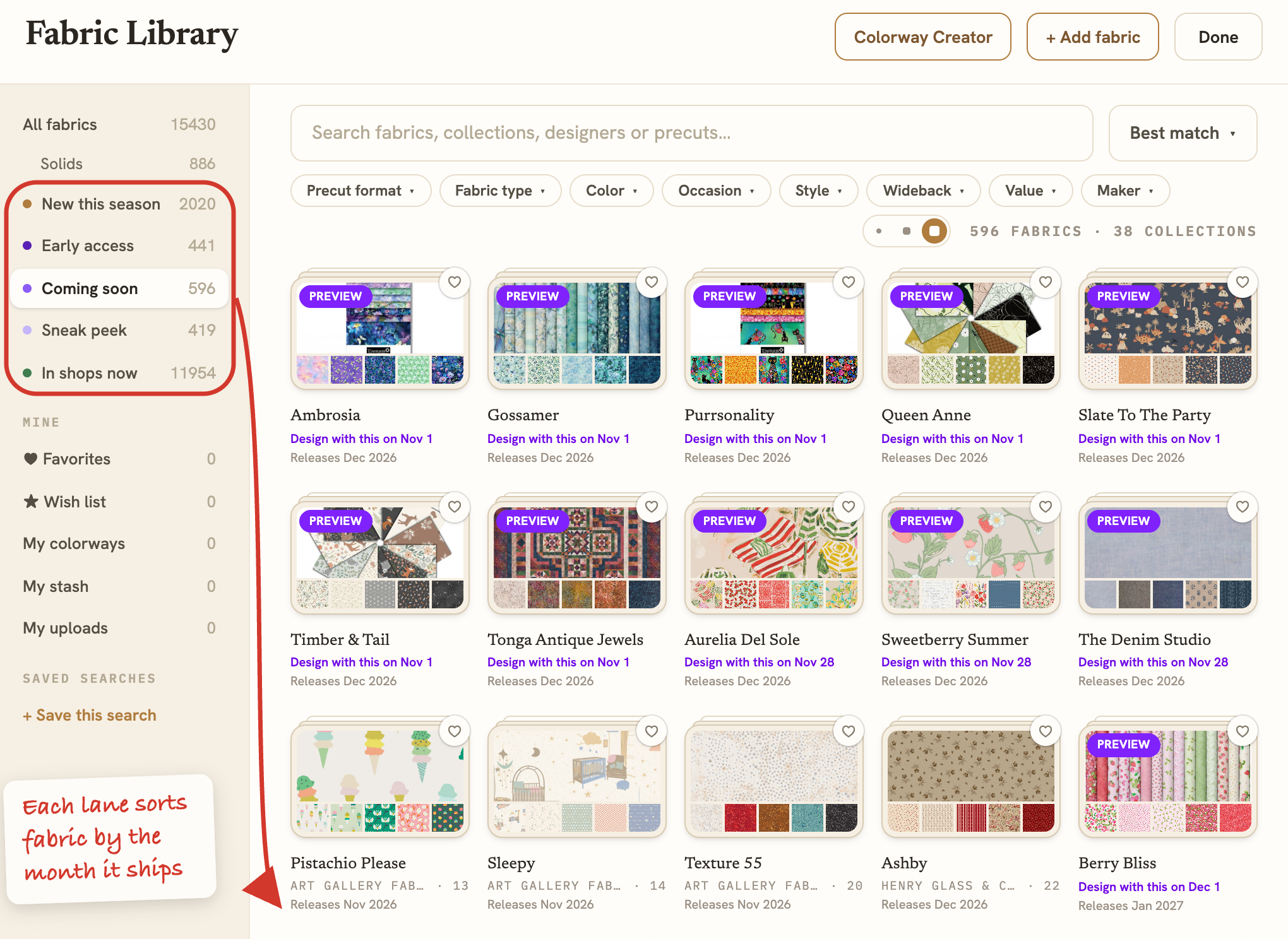
The Fabric Library shows new collections before they reach quilt shops. The left rail sorts every collection by its ship month, nearest first:
New this season: reached shops in the last three months. Early access: ships within the month. Coming soon: ships in one to three months. Sneak peek: ships more than three months from now; this lane shows only when something is in it. In shops now: everything else, the whole back catalog included.
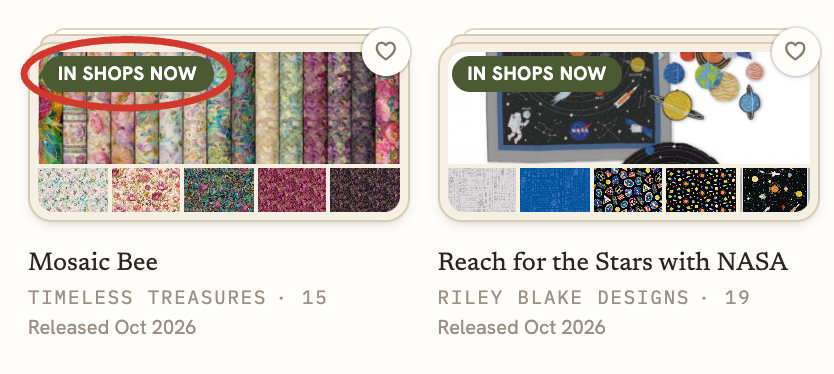
Every collection card carries its date. Before the ship month it reads Releases and the month, such as Releases Feb 2027. After it, it reads Released and the month, with a green IN SHOPS NOW badge for the first nine months. A collection with no date on file reads Released before Oct 2026, and a solids line with no date shows no date at all.
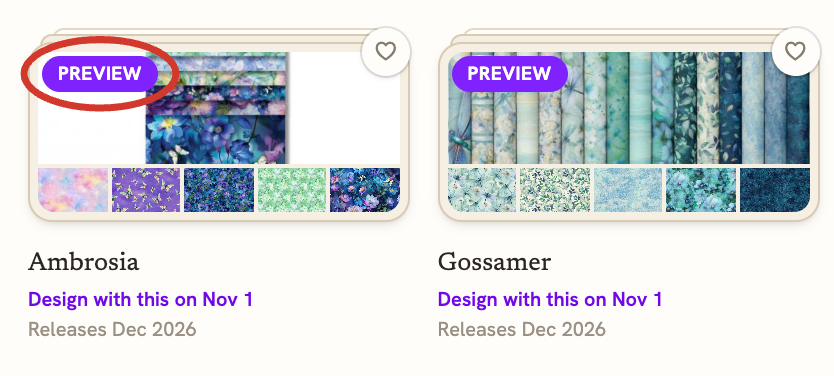
Some coming soon fabric can go on a quilt the day it shows up. Other collections open for design later, usually a month before they ship. Until then the card shows a violet PREVIEW chip and Design with this on and the date: you can look, zoom, add it to your Wish List and mark it owned, but it can’t go on a quilt yet.
Any collection, in any lane, can go on the Wish List, one fabric or the whole collection. That is the way to say “tell me about this one.”
Fabric news: the bell
The app watches the collections on your Wish List and tells you twice: Open for design on the day you can put it on a quilt, and In shops now on the day it ships. When there is news, the bell at the top of the Studio shows a dot. Open it and the news is under Your fabrics, with the collection’s name and how many of its fabrics are on your Wish List. Open for design offers Open the Library; In shops now offers Open your Shopping List.
On your phone the same news shows as a Your fabrics card at the top of the Quilts tab, with Open Shopping for anything that has reached shops. That is the one to have in hand at the quilt shop.
Once you have seen a piece of news it moves to Earlier in the bell for about a month, so you can find it again.
What else is watched
Your stash and your designs are watched too. A preview fabric you marked owned tells you when it opens for design. A fabric used in one of your designs tells you when it reaches shops, and names the design.
Good to know
News shows inside the app, the next time you open it after the date. There is no email or text message.
Each device keeps its own news. Reading it on your phone does not clear it in the Studio.
If a collection opens for design and reaches shops between two visits, you get one piece of news, In shops now, not two.
Wishing for a fabric that is already in shops brings no news, because nothing about it is going to change.
Tip: Ready to buy? Open the wish and choose Add to shopping list, then say what you are buying: yardage, fat quarters, or a pack when the collection comes in one (a pack is the whole collection’s, every print in it). Decide later adds it with no amount. Checking it off My Shopping List means bought, and the app asks before it adds anything to My Stash, a pack included; see Track your stash.